Isovio Draw
The drawing, before you would have drawn it.
Isovio Draw reads your STEP model, recognises the kind of part and creates the complete workshop drawing – views, sections, flat pattern and dimensioning to ISO. You check, Isovio draws.
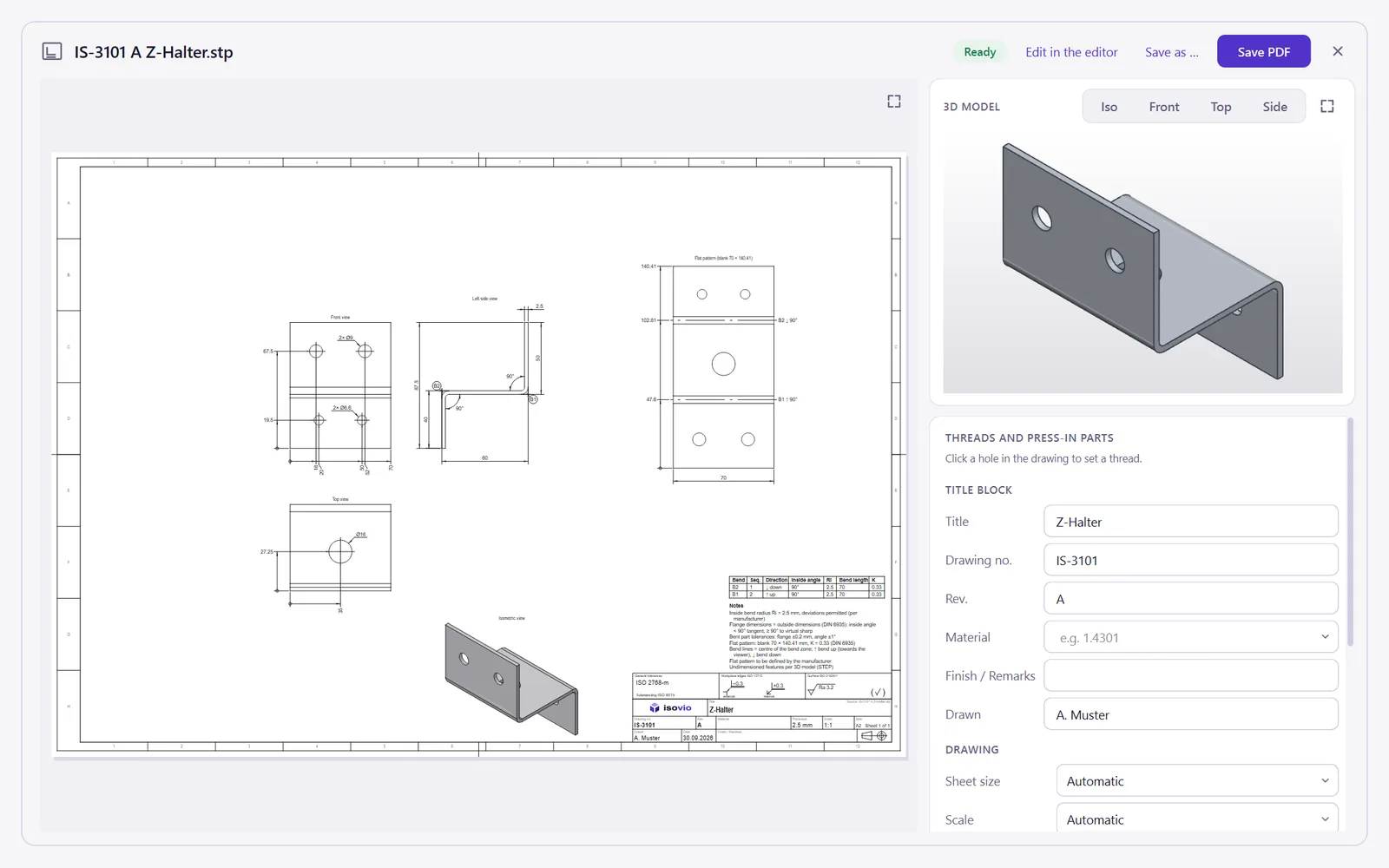
Sheet metal parts with everything the press brake needs
Isovio recognises flanges, bends and sheet thickness. The flat pattern uses the K-factor of your house table or DIN 6935.
- Flange dimensions as outside or inside dimensions to DIN 6935
- Flat pattern with bend lines, direction and blank size
- Bend table with sequence, inside angle, radius and K
- Holes in a flange dimensioned in the flat pattern from the outer edges
Isovio
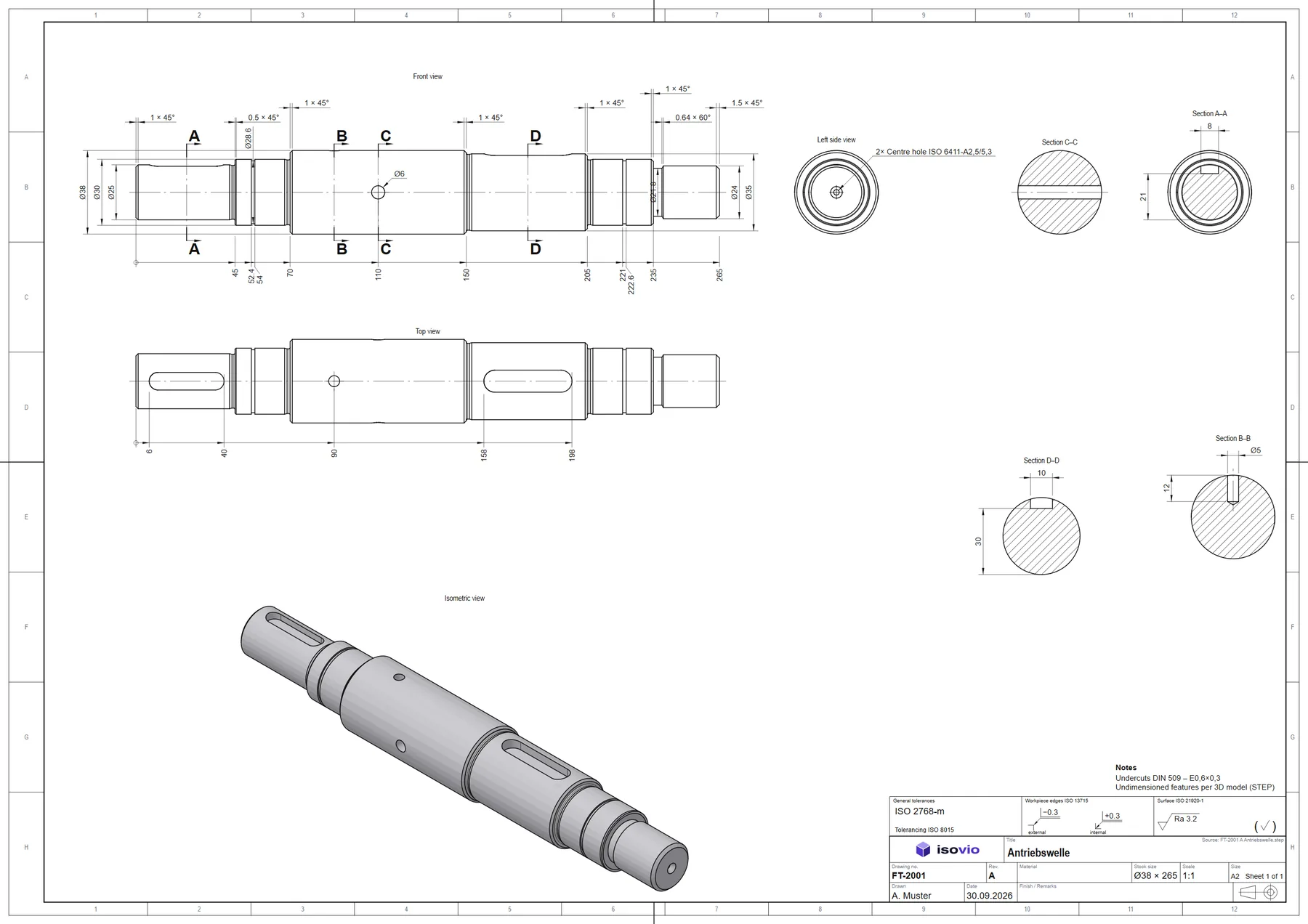
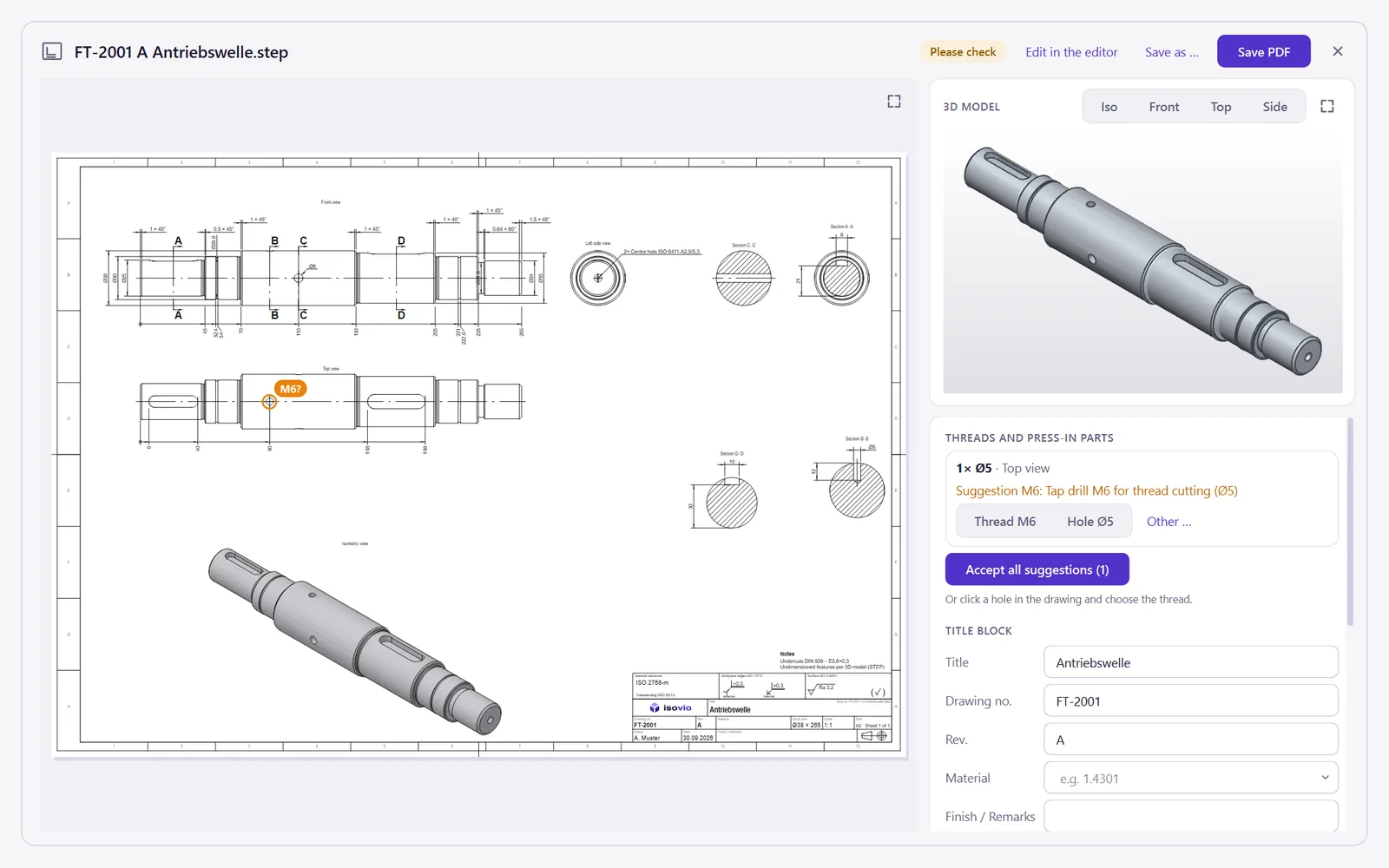
Turned parts with sections, undercuts and fits
Shafts are drawn lying down, shoulders dimensioned as a chain, keyways in the cross-section, undercuts to DIN 509.
- Long parts shown as interrupted views (ISO 128-30) instead of scaled down
- Threads recognised and drawn to ISO 6410
- Fits to ISO 286 with a click, with a fit table
PDF
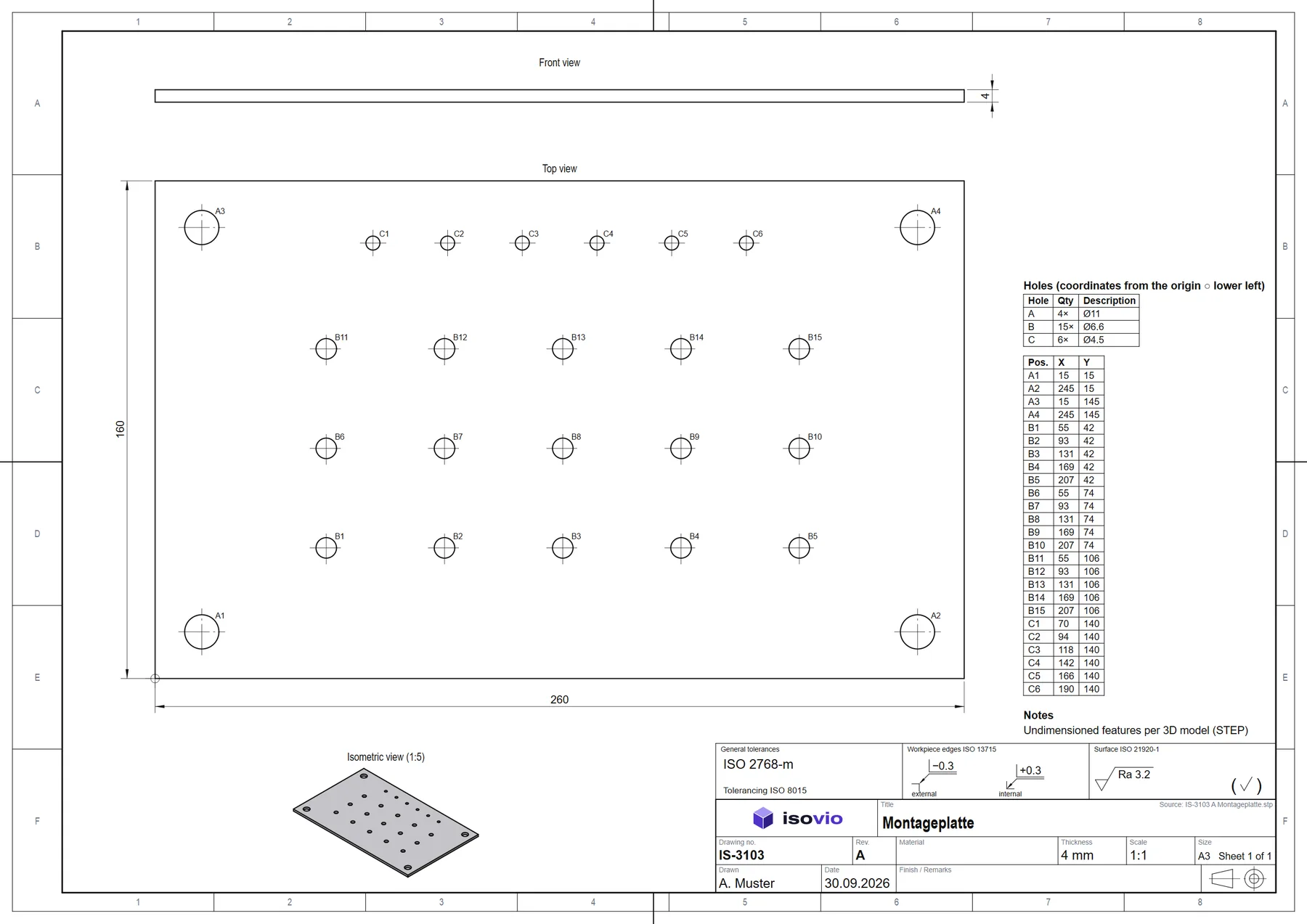
Plates with many holes: coordinate table
From twelve holes on, Isovio switches to coordinate dimensioning: equal holes as a group, each with its tag, X and Y in the table.
- Groups A, B, C … for hole, countersink, thread
- Origin lower left, values to ISO 129-1
- Larger sheet so every tag stays readable
PDF
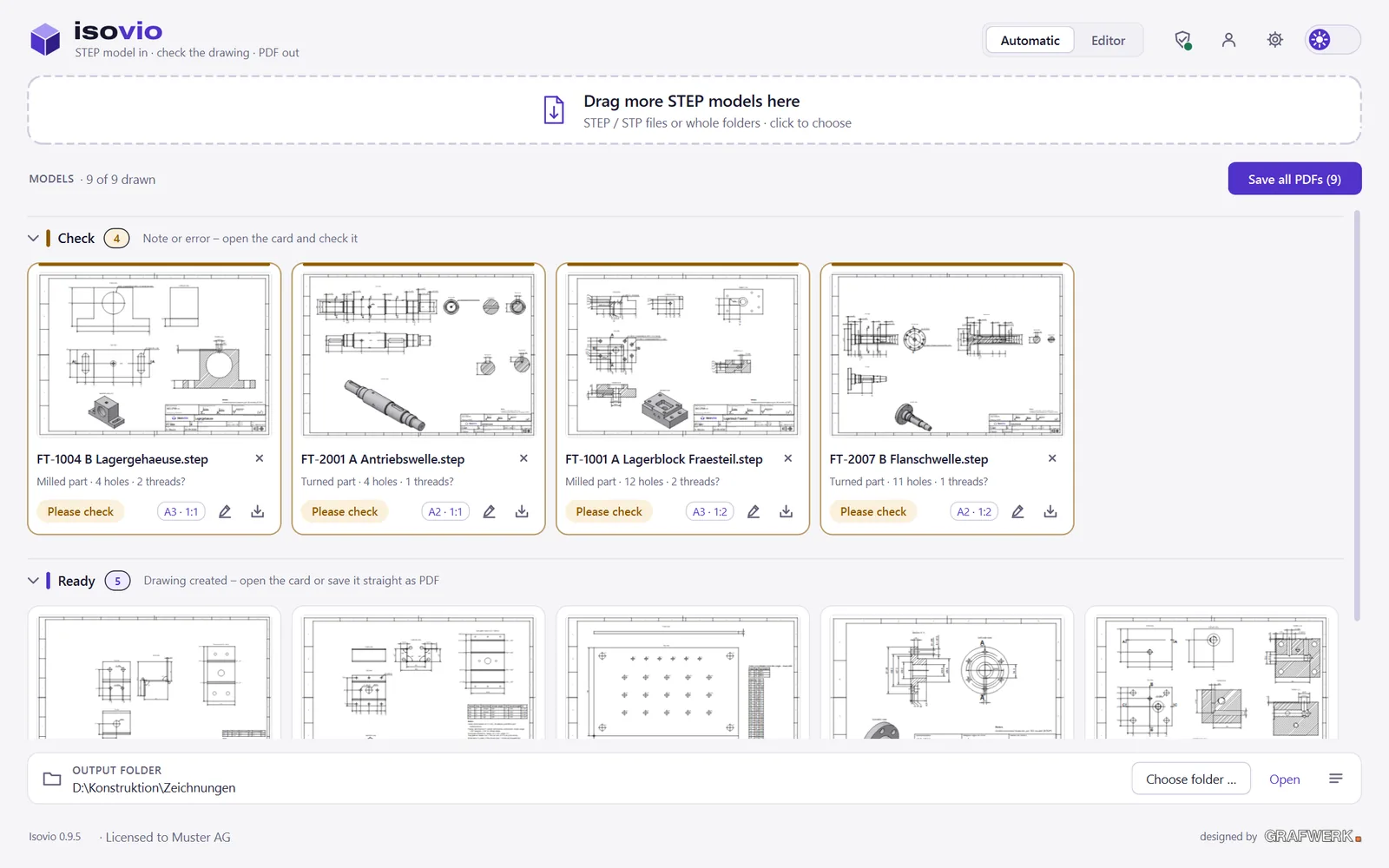
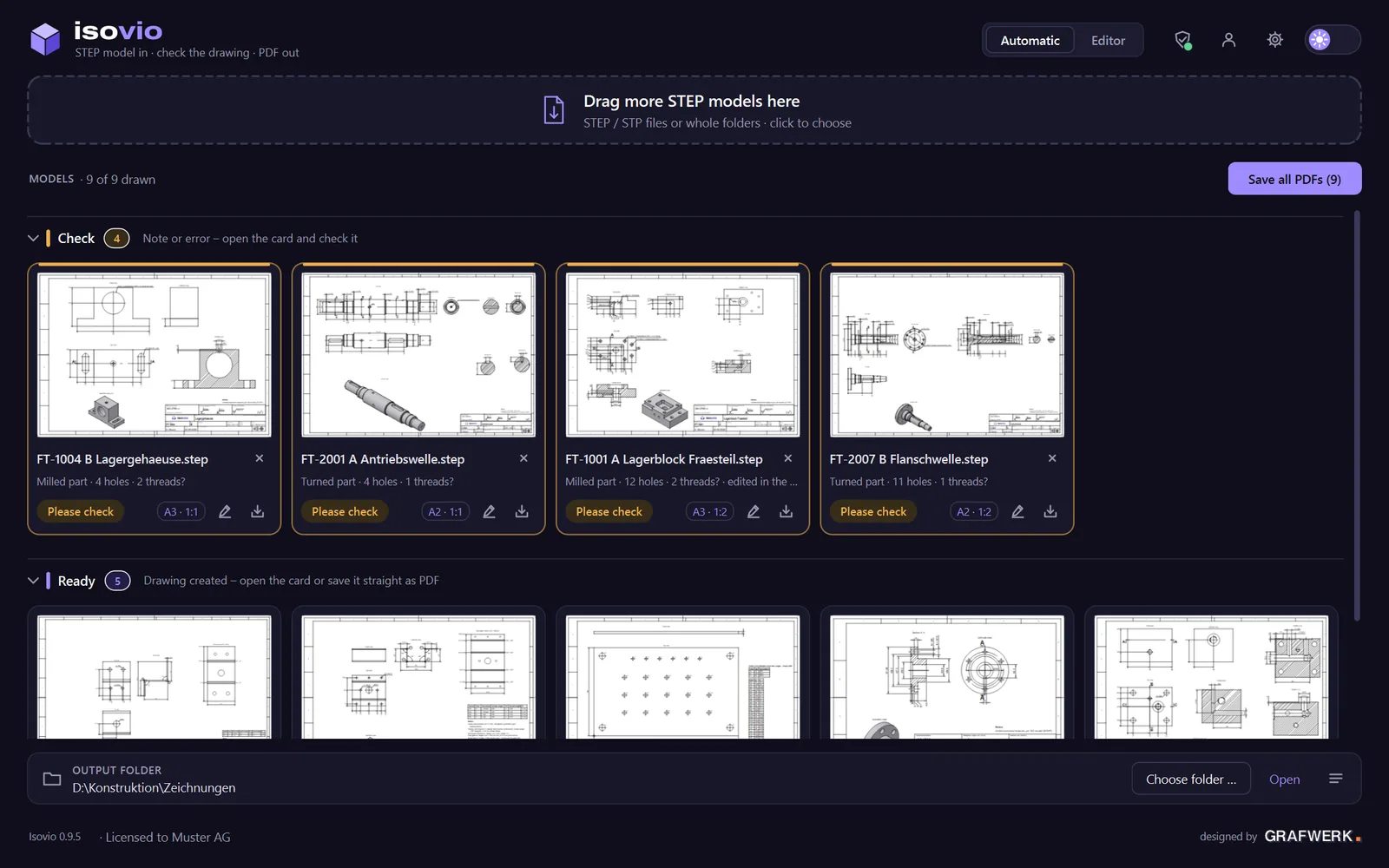
Whole folders at once
Drop hundreds of models. Isovio draws in parallel, sorts by «check» and «ready» and saves all PDFs with one click.
- Hints on threads, fits and anything unclear – nothing slips through
- Title block with your logo, material, drafter and revision
- Dark theme for long days at the screen
Isovio
Isovio
Isovio
Your next drawing makes itself.
Try it free for 30 days, every feature, no credit card.