Isovio Edit
The last ten percent – in your hands.
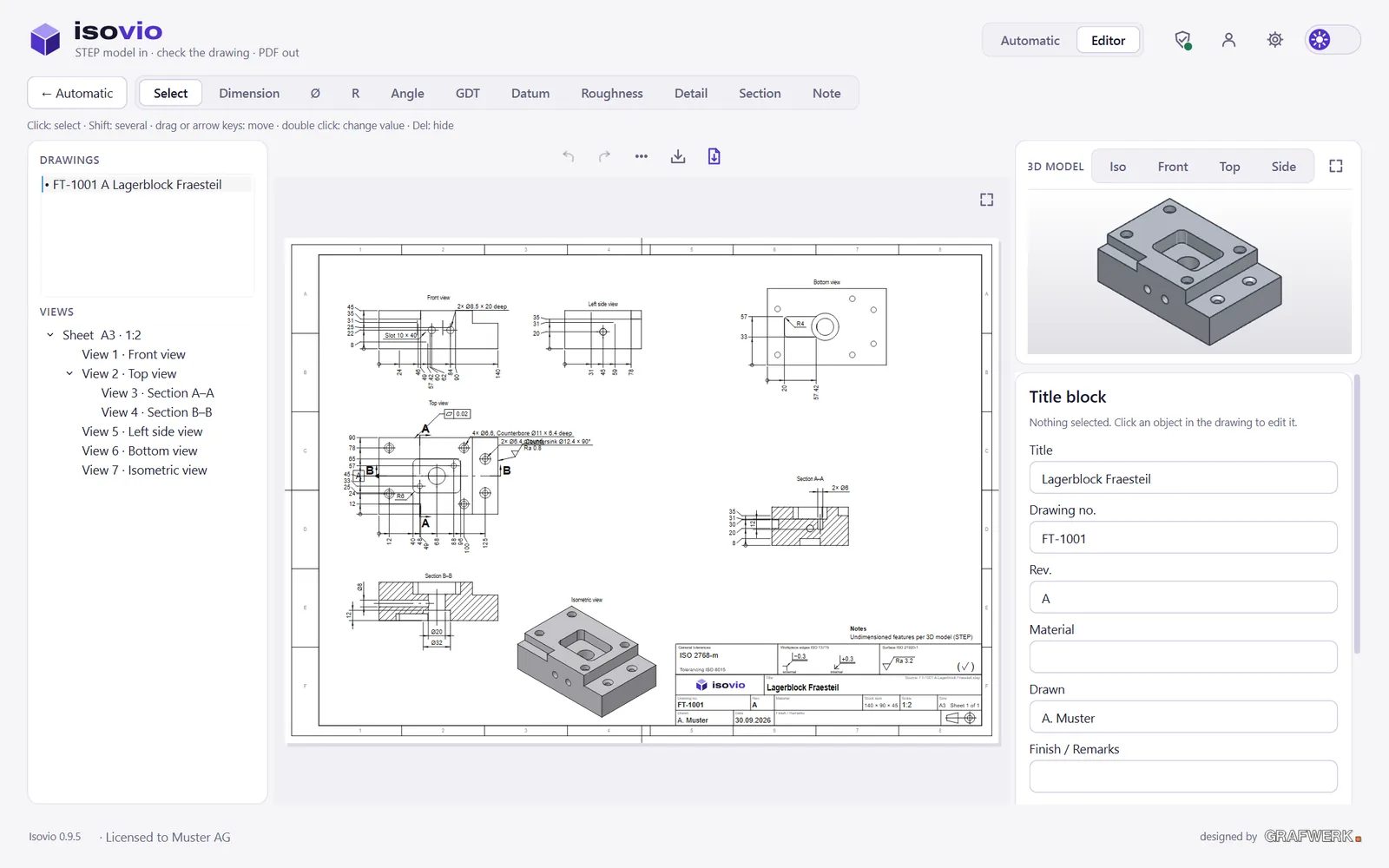
Isovio Edit opens every automatic drawing in an editor. Move, add and tolerance dimensions, set standard symbols, arrange views – linked to the STEP model.
An editor that knows the standard
Every object of the drawing is clickable. Views stay aligned and can only be pushed apart – as in a big CAD system.
- Dimensions move, hide, change value and tolerance
- Own dimensions linear, Ø, radius, angle – with snap points
- Sections and details set by you, computed from the 3D model
- Undo for every step, saved as .fdw
Isovio
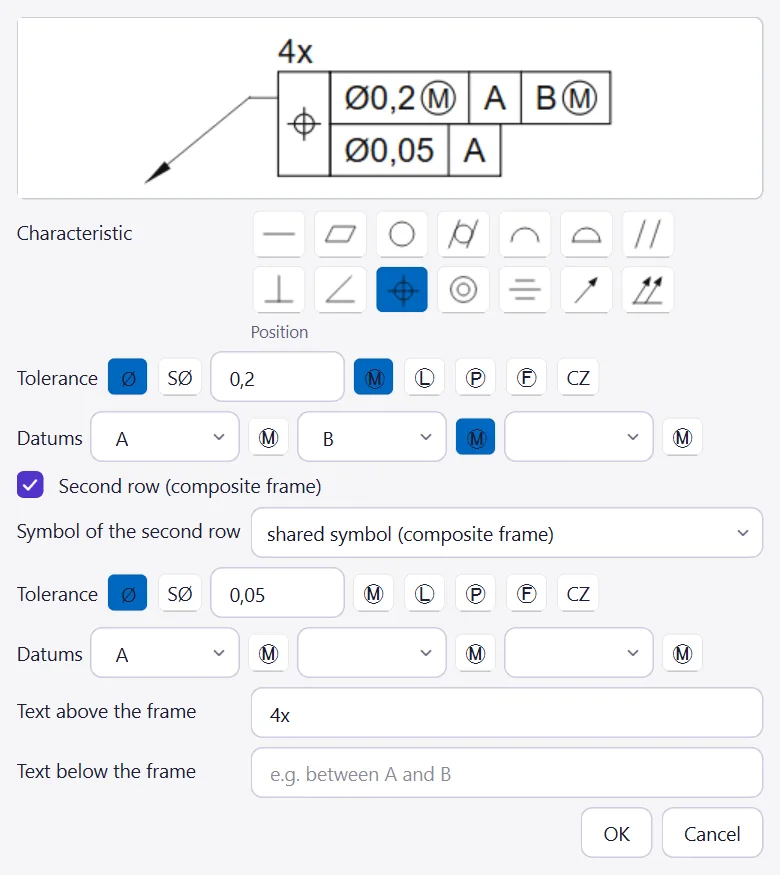
Geometrical tolerances like in a big CAD
Symbol palette, tolerance zone Ø/SØ, modifiers Ⓜ Ⓛ Ⓟ Ⓕ, three datums and composite frames – with preview and hints to ISO 1101.
- Datums to ISO 5459, filled or open
- Standard check form tolerance without datum, location with one
Geometrical tolerance
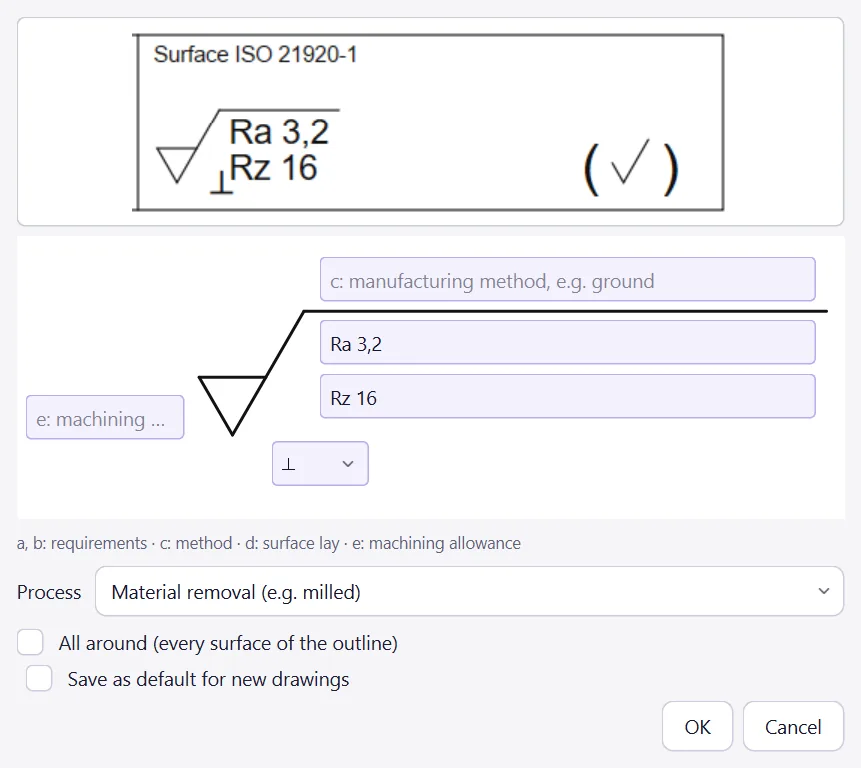
Roughness with every field of the standard
The input fields sit right at the symbol: requirements a and b, method c, lay d, machining allowance e – to ISO 21920.
- Workpiece edges to ISO 13715 with upper and lower limit
- General block tolerances, edges and surface above the title block
Surface
Your next drawing makes itself.
Try it free for 30 days, every feature, no credit card.