01 · Load
Drag in STEP models
One part or a whole folder: Isovio reads any STEP model from any CAD, recognises sheet metal, milled and turned parts and gets going – in parallel, even with hundreds of models.
Isovio
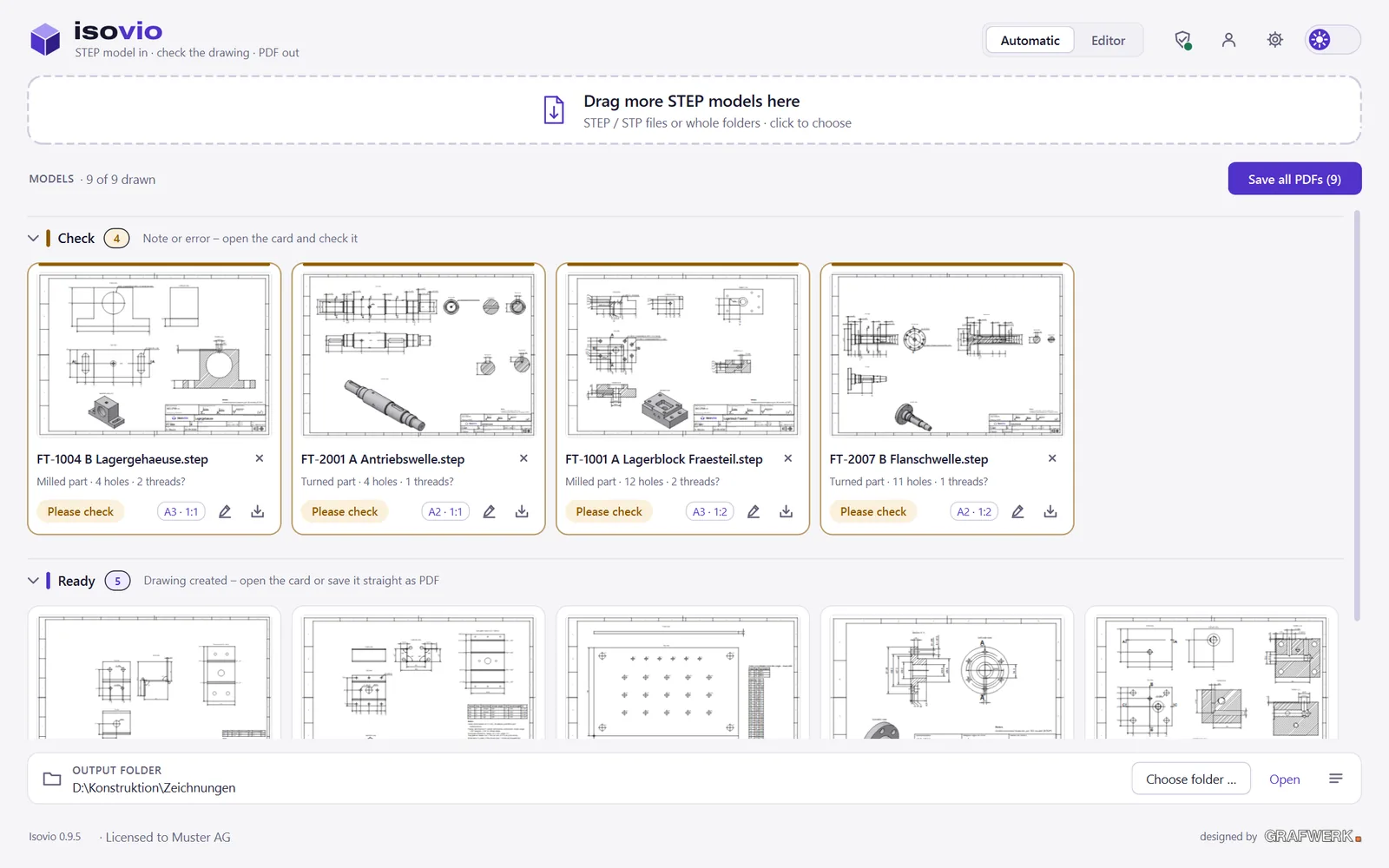
Isovio draws sheet metal, milled and turned parts automatically – with views, sections, flat pattern and dimensioning to ISO. Offline on your PC, in seconds instead of hours.
One part or a whole folder: Isovio reads any STEP model from any CAD, recognises sheet metal, milled and turned parts and gets going – in parallel, even with hundreds of models.
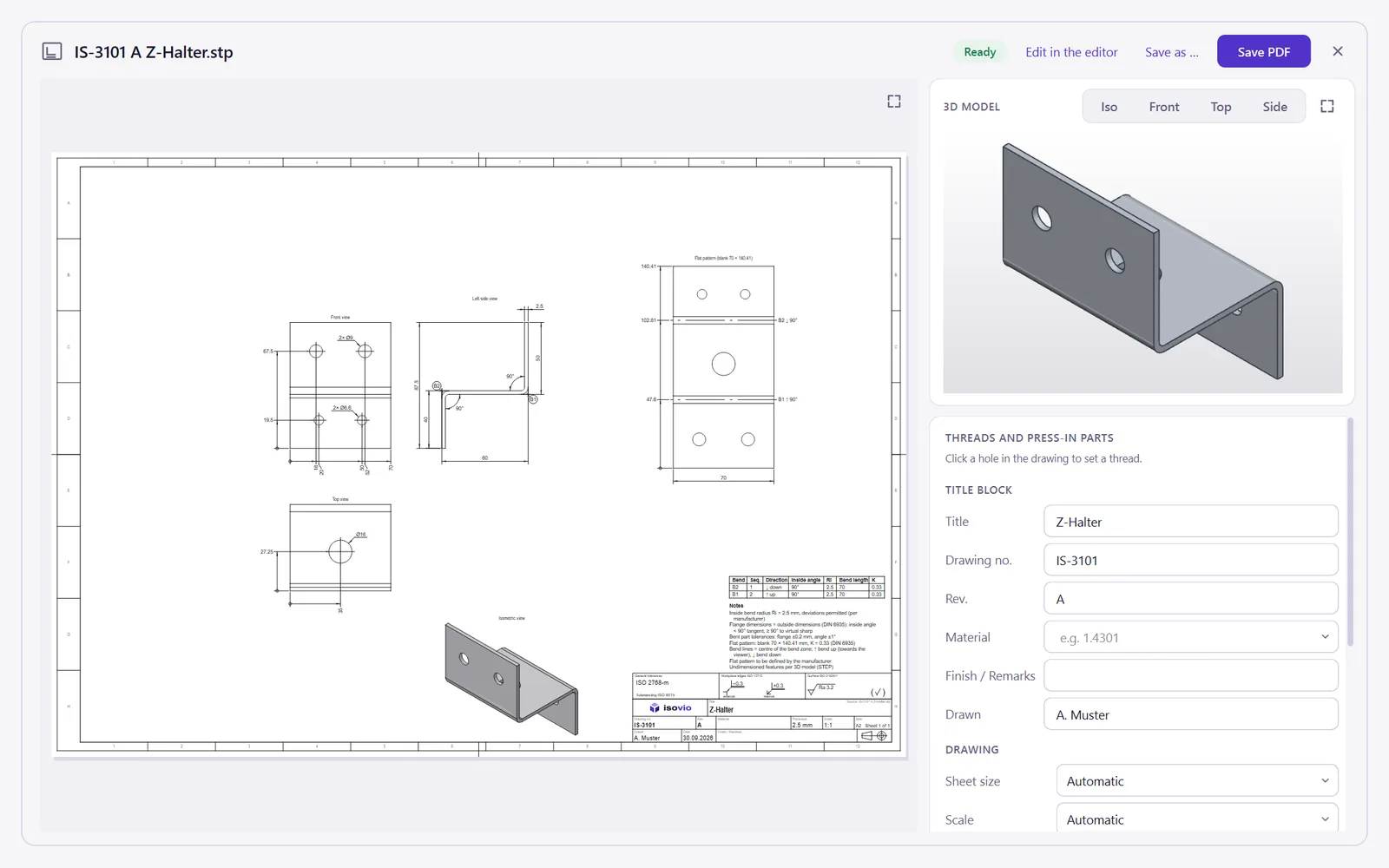
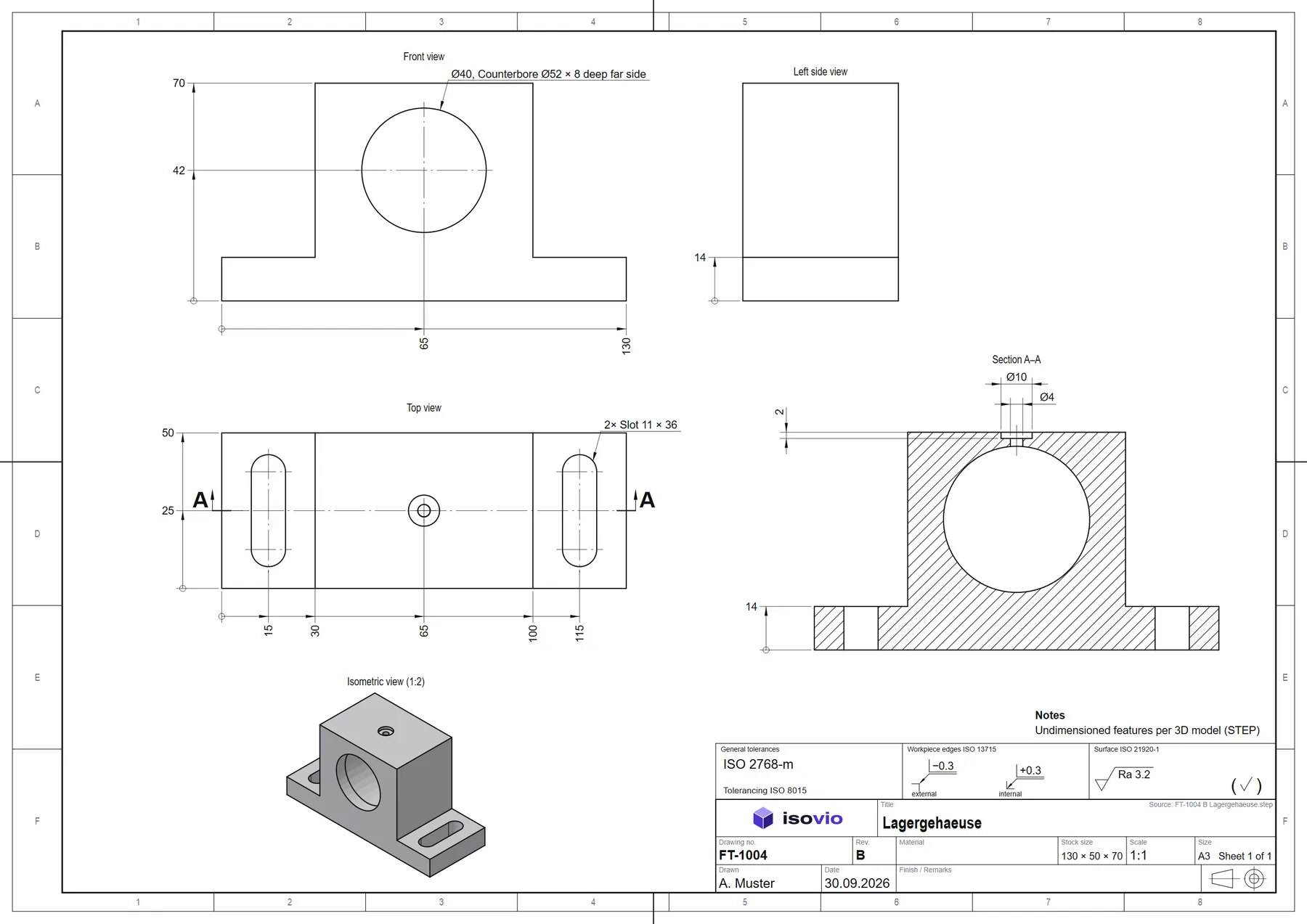
Views, sections, flat pattern, bend table, holes, threads and fits – dimensioned to ISO 129, every dimension exactly once, sheet size and scale chosen to fit.
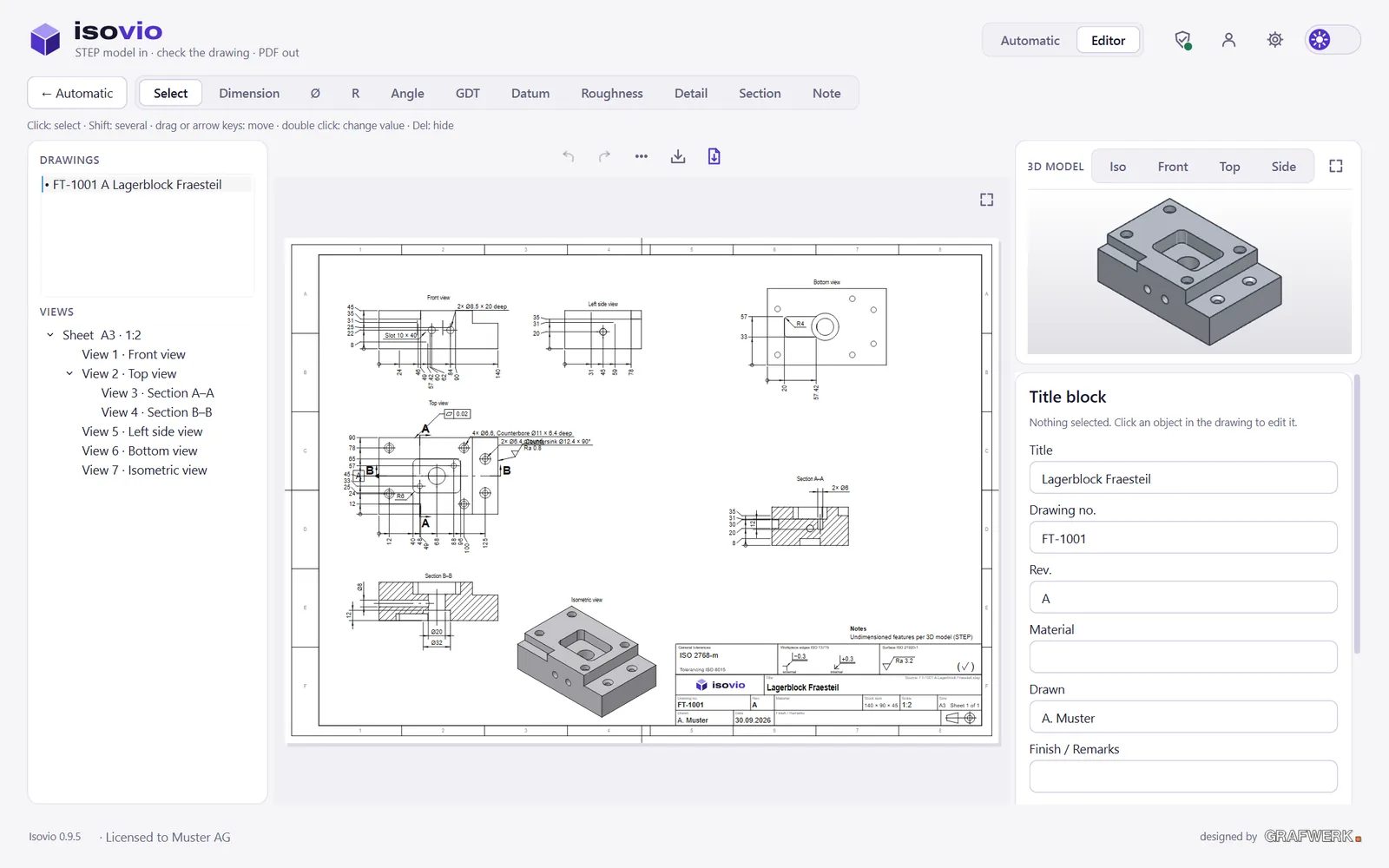
Move, add and tolerance dimensions, set geometrical tolerances, datums and roughness – linked to the STEP model, undoable at any time.
One click and the drawings are PDFs in your folder – with your title block, your logo, in German or English.
One part or a whole folder: Isovio reads any STEP model from any CAD, recognises sheet metal, milled and turned parts and gets going – in parallel, even with hundreds of models.
Views, sections, flat pattern, bend table, holes, threads and fits – dimensioned to ISO 129, every dimension exactly once, sheet size and scale chosen to fit.
Move, add and tolerance dimensions, set geometrical tolerances, datums and roughness – linked to the STEP model, undoable at any time.
One click and the drawings are PDFs in your folder – with your title block, your logo, in German or English.
Flange dimensions to DIN 6935, flat pattern with the K-factor from your house table, bend lines with direction, bend table with sequence.
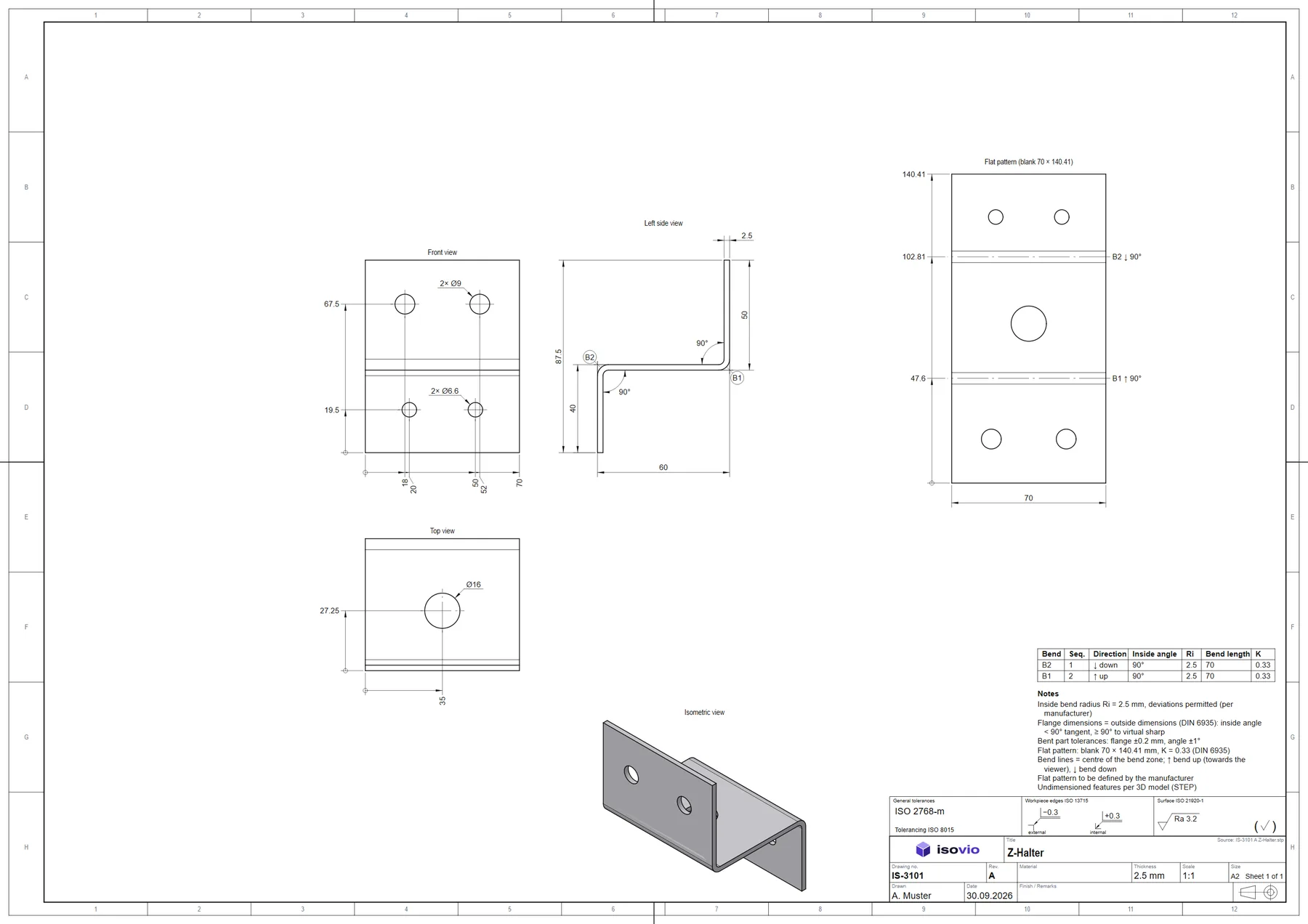
Sections A–A, pockets, slots, countersinks, threads, undercuts and fits to ISO 286 – confirmed with a click.
Large plates with many holes automatically get a hole table with X/Y from the origin.
Drop whole folders, check what needs a look and save everything as PDF.
Your models never leave the PC. No cloud, no upload – Isovio checks the licence offline.
Every dimension once, running dimensions with arrows only, general tolerances, workpiece edges and surface texture in the head – the way the workshop expects it.
App and drawing in both languages – with decimal comma or point, as it should be.
Start with Isovio Draw, add Isovio Edit when you want to rework drawings. Isovio Design follows.
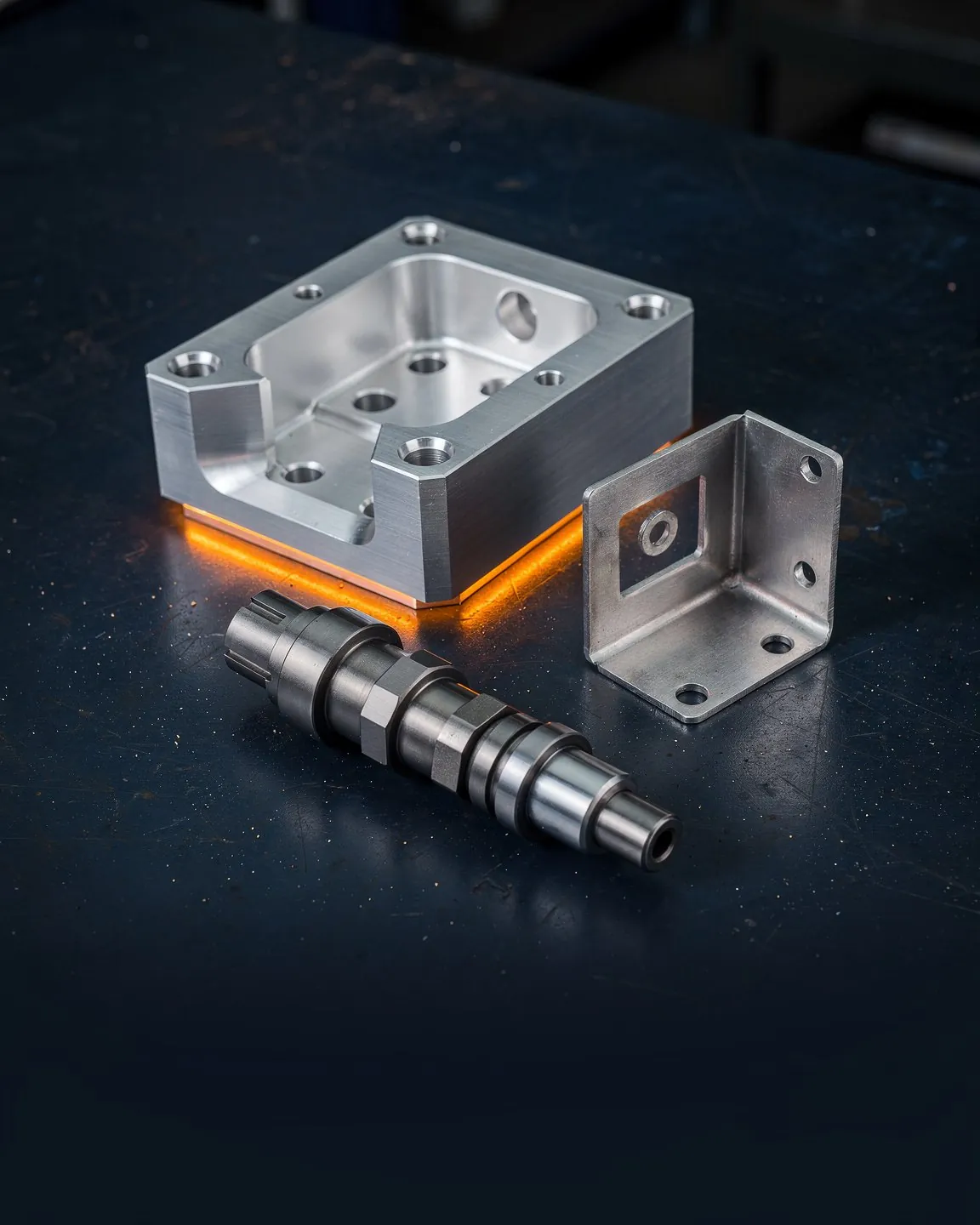
Isovio was born where drawings are needed: between design, planning and the workshop. The rules of the standard are built in – you only check.
Try it free for 30 days, every feature, no credit card.