AI assistant: bring your own agent
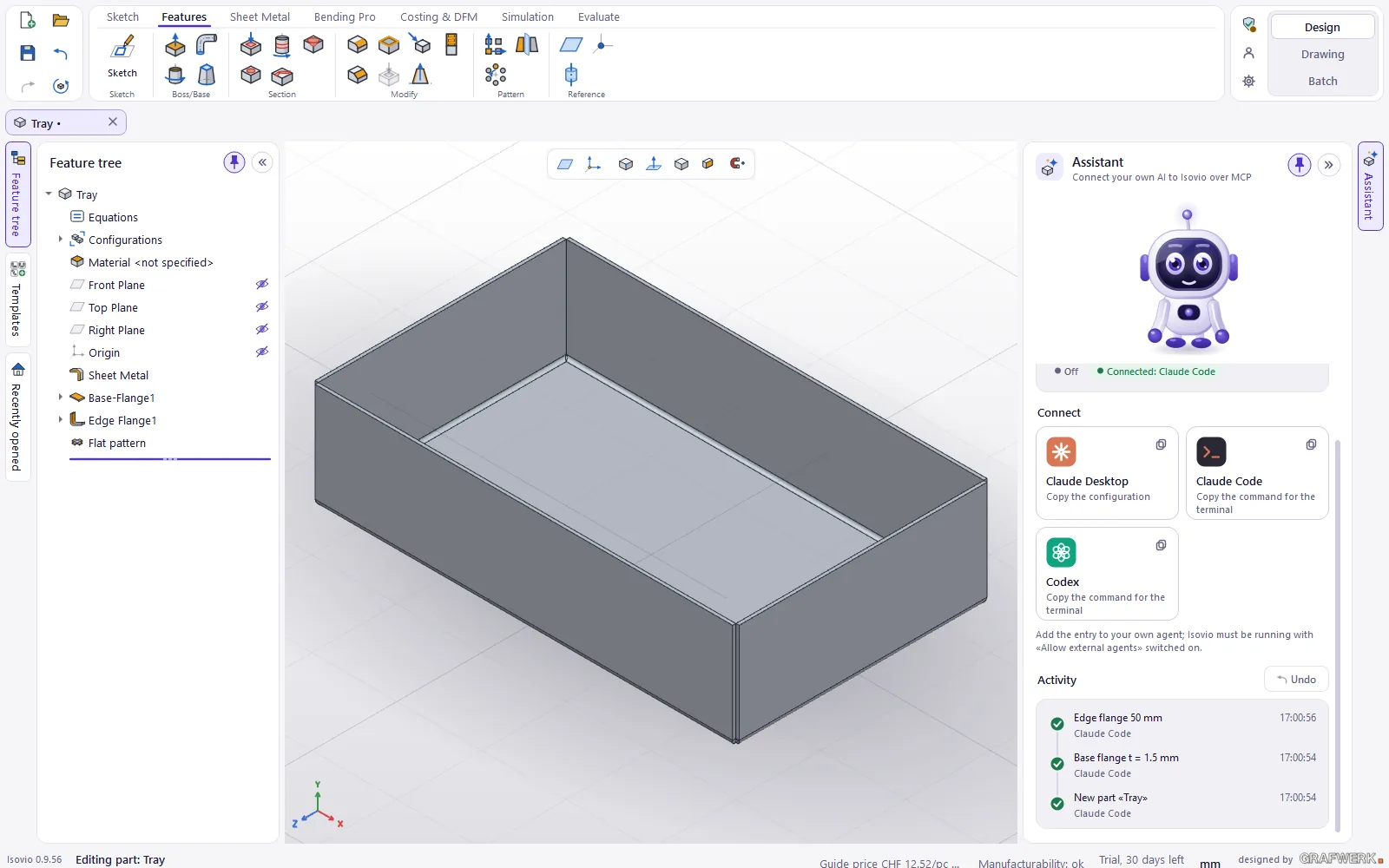
You connect your own AI to Isovio via MCP. The agent builds in the open Isovio Design: sheet metal, flanges, holes, whole parts from a recipe. Every step is listed in the activity and can be undone.
What it does
- Your own agent Claude Code, Claude Desktop, Codex or another MCP client. Isovio sets up the connection in one click: copy the configuration or the command.
- Builds in the open Design tools for parts and assemblies; every step appears in the activity and can be undone on its own.
- Recipes a whole part in one call: parameters, material, outline, flanges, holes, corners. The whole recipe is one undo step.
- Signed tool catalogue the tools for agents come from a signed catalogue that can update itself automatically.
- Local and without a quota a local endpoint on your PC only. Isovio calls no AI itself and counts no requests; you pay for the AI directly with your provider.
Who it is for
For everyone who already works with an AI agent and wants to describe parts or variants in words and have them built.
Good to know
The module is experimental and is being extended continuously; the tools for agents may still change.
Not for sale yet: already usable in the trial
AI assistant is an extension to Isovio Design and cannot be bought yet. In the 30-day Isovio trial it is usable with every feature; with a Design licence every module can also be tried once for 30 days.
All modules for Isovio Design
Bending Pro
Bend simulation & feasibility: automatic bend sequence with pre-bend and tool suggestions, station plan, segmentation per tool, 3D simulation at the press brake with collision display.
Learn more →Costing & DFM
Guide price per piece from your machine profile and manufacturability live while you design (DFM).
Learn more →Assembly costing
Guide price of whole assemblies: material, sawing, drilling, laser, bending, standard parts, surface, transport and assembly.
Learn more →Simulation «Strength check»
Stress, deformation and safety of a part under load, linear static. A guide value for design, not a proof of strength.
Learn more →Welded assemblies
Welds on the 3D assembly to ISO 2553, processes to ISO 4063, weld list and weld symbols in the drawing.
Learn more →Try Isovio on one of your own parts.
Free for 30 days, all three areas including Design, no credit card.