Welded assemblies: the weld belongs in the model
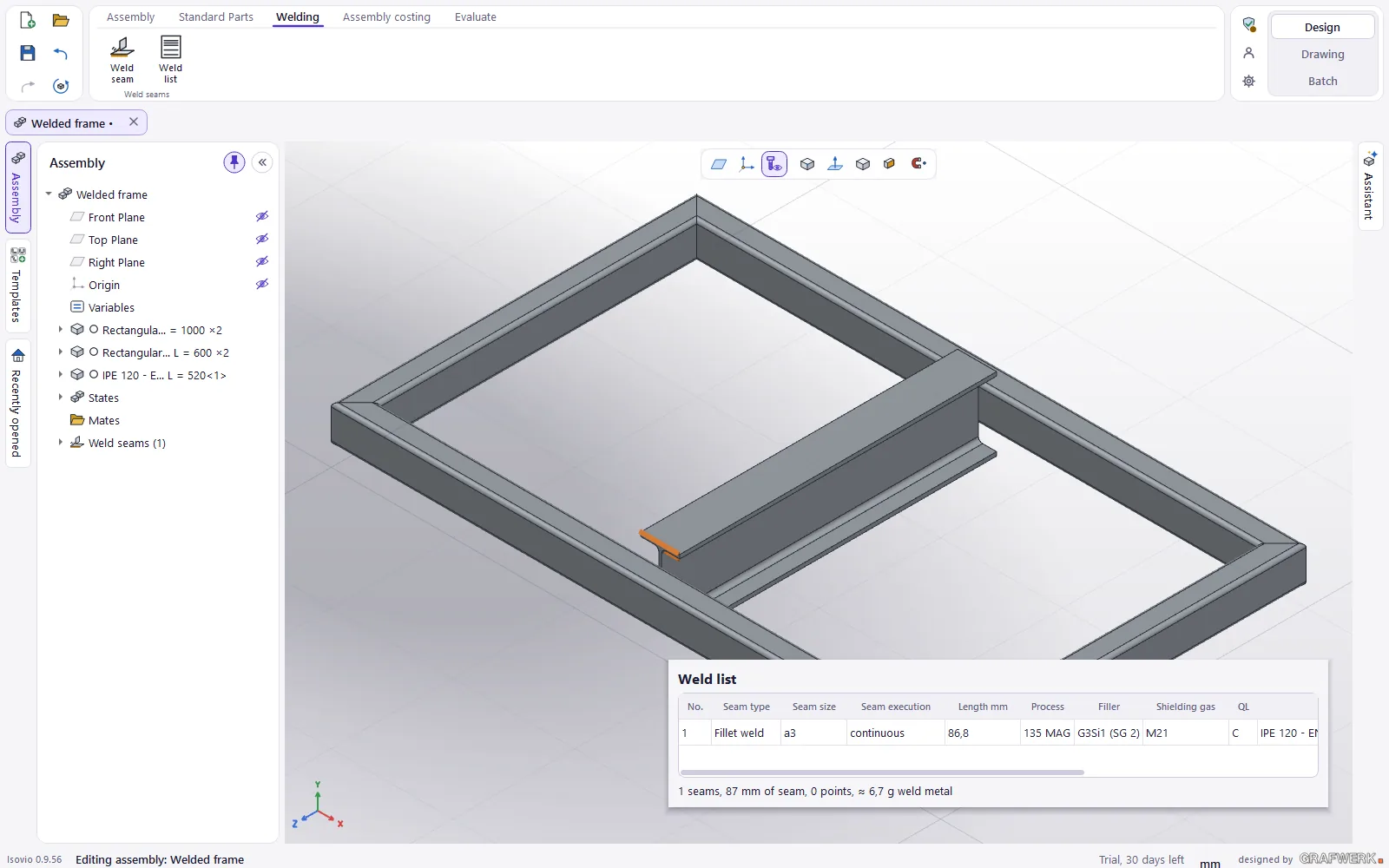
Pick an edge and the bead appears: you place welds right on the 3D assembly. Isovio keeps the weld list and puts the weld symbols into the drawing.
What it does
- Welds on the 3D model fillet, butt welds, spot, plug and slot welds to ISO 2553, also intermittent or as tack welds.
- Process and filler processes to ISO 4063, matching filler metals and shielding gases, quality level to ISO 5817.
- Weld list all welds with length, process, filler and weld metal mass.
- Symbols in the drawing every weld as a weld symbol to ISO 2553 in the right view, up to date again after a change in 3D.
- Welds follow the parts a moved part takes its weld along; a weld without its edge is marked instead of silently going wrong.
Who it is for
For steel and metal construction, frames, racks and consoles: anyone who designs welded assemblies and does not want to add the welds to the drawing by hand.
Good to know
An extension to Isovio Design & Draw.
All extensions for Isovio Design & Draw
Automatic (drawings)
STEP in, finished drawing out: fully automatic, with a watched folder and batch processing of whole folders. Sheet metal parts with flat pattern and bend table, thread recognition.
Learn more →Tube & Profile
Tube and profile parts for the tube and profile laser: mitre, saddle cut, shell cut-outs and notches, shell development as DXF, bar plan with offcut and export package.
Learn more →Metal construction
Stairs, landings, railings, gratings and fixed ladders by configurator: the whole assembly with profiles, standard bolts and welds, with a live rule check.
Learn more →Strength check and force flow
Stress, deformation and safety of a part under load, linear static, with the force flow in colour in 3D. A guide value for design, not a proof of strength.
Learn more →AI assistant
Connect your own AI to Isovio: an agent such as Claude Code or Claude Desktop builds parts in the open Design via MCP. No request limit, you pay for the AI directly with your provider. Experimental.
Learn more →